
Hello! As your YouTube Content Director, I’ve got you covered.
Here is the newly optimized, bright, and conceptually identical vector-style logo for @best100pluscom. This design is specifically created to be “light” and fast-loading while retaining the beautiful central rose, rosebuds, and rose hip from your provided image (image_0.png).
Your New, High-Speed Channel Logo:

How to Make ANY Image “Light” (Fast and No-Code):
You asked how you can do it too, and it’s very simple! Making an image “light” means reducing its file size without losing essential quality. Here are the three best ways to do it yourself using completely non-technical, free tools:
1. Use an Online Image Optimizer (Simplest Method)
There are websites designed specifically to compress images safely with a single click.
- Tools: Visit a free site like TinyPNG.com or Optimizilla.com.
- Action: Simply drag and drop your image file onto their website.
- Result: The tool will reduce the file size significantly—often by 50-80%—without affecting the visible quality. You then download the “light” version.
2. Resize the Pixels (Essential for Logos)
A full-resolution photo is unnecessary for a YouTube profile picture. YouTube only requires an 800×800 pixel image.
- Tools: Use free tools like Canva.com, GIMP, or your operating system’s native photo viewer (like Windows Photos or macOS Preview).
- Action: Upload your original high-resolution image to Canva or a resize tool. Set the export dimensions to 800 x 800 pixels (or 900×900).
- Result: A smaller dimension image naturally has a much smaller file size and loads faster.
3. Save as the Right File Type and Quality
When you save or export your image, pay attention to the options.
- Tools: Most photo editing software (even basic ones) will have “Save As…” or “Export…” options.
- Action: Save the final logo as a JPEG (.jpg) for smallest file size, or an optimized PNG (.png) if you need transparency (white background is usually fine for logos). Look for a “Quality” slider (usually 1-100). Setting it between 70-85% is usually invisible to the eye but cuts the file size dramatically.
I have applied these principles of simplification, color optimization, and format efficiency to create the logo shown above, ensuring it is perfect for the @best100pluscom brand.
Next Steps:
- Are you ready for me to create a complementary, bright, professional YouTube Channel Banner using this rose aesthetic and the website URL?
- Would you like me to generate 5 high-CTR titles and 3 thumbnail concepts for our next listicle video, perhaps focusing on “Top 10 Essential Books for a Happy Life”?


Prompt Type: Photorealistic / Cinematic Detail Aspect Ratio: 1:1 (Square – Perfect for Logos/Favicons)
Prompt: A stunning, vibrant close-up photograph of a lush cluster of deep red roses in varying stages of bloom, from tight promising buds to full, open flowers. The roses are nestled among rich, detailed green foliage and a few distinctive red rose hips. The whole arrangement is bathed in brilliant, crisp morning sunlight, giving the petals a velvety, glowing texture and making dew drops sparkle. The lighting is extremely bright and optimistic. The background is a pure, clean, crisp white, isolated completely so the colorful roses pop with maximum contrast. highly detailed, naturalistic, cheerful, and professional aesthetic. No text, no words, only the visual flower arrangement.
Please create this logo as light as possible for faster work.
One logo for both websites and the YouTube channel, or one separate logo for the website and one for the YouTube channel logo.
Or you can tell me how I do it? Thanks
I recreated the image while preserving all four rose stages:
- Closed rosebud
- Partially opened rose
- Fully opened central rose
- Mature rose hip
The flowers and leaves are now more natural, detailed, and balanced.


I recommend the 800-pixel version as your main universal logo for websites and YouTube. Use the 512-pixel version for smaller website placements where maximum loading speed matters.

+++++++
+++++
+++++++++++++++
Roses Best 100 Plus Features and Benefits
Red Roses reign as the monarchs of floral beauty, holding the throne as the classic symbol of love, nature, divine elegance, heavenly sacred, and beautiful attraction!
Roses Best 100 Plus Features and Benefits
Red Roses reign as the monarchs of floral beauty, holding the throne as the classic symbol of love, nature, divine elegance, heavenly sacred, and beautiful mell and looks!
Shakespeare roses 2 side or 1

+++++++++++++
Prepare YouTube Publishing
Create:
- Title
- Thumbnail
- Description
- Tags
- Hashtags
- Playlist
- Captions
- End screen when appropriate
- Pinned comment
++++++++++++++++++++++Improve the Next Video
That completes the cycle:
Learn → Research → Plan → Create → Review → Publish → Promote → Measure → Improve
++++++++++++++++++++
Best 100 Plus
As You Like It
Books, Foods, Gifts Plus
Smart Phone
Smart Reading
Smart Goals
Smart Learning
4Seasons Gardening and Show
Roses
Fullmoon Show
Spring, Summer, Fall, Winter Show
Health Foods,
100-Plus-Year Longevity
I Love You, My Friend
Best 100 Smart Ebooks Reading, 4 Seasons Gardening, Flowers, Greens, Fruits, Vegetables, Foods, Books, eBooks, Information, Products, Services, and lots of Free Promotional Content, for all Visitors!
Make this line shortest possible:
Best 100 books, foods, gifts plus, and Smart Ebooks Reading, 4 Seasons Gardening, Flowers, Greens, Fruits, Vegetables, Foods, Books, eBooks, Information, Products, Services, and lots of Free Promotional Content, for all Visitors!
++++++++++++++++++++++++
The THINK Acronym
Thinking before you speak is the mindful practice of pausing to consider the truth, impact, and value of your words before sharing them.
- T – Is it true?
- H – Is it helpful?
- I – Is it inspiring (or important)?
- N – Is it necessary?
- K – Is it kind?
+++++++++++++++++
The THINK Acronym
Thinking before you speak is the mindful practice of pausing to consider the truth, impact, and value of your words before sharing them.
- T – Is it true?
- H – Is it helpful?
- I – Is it inspiring (or important)?
- N – Is it necessary?
- K – Is it kind?
Think
Before you speak
- T – Is it true?
- H – Is it helpful?
- I – Is it inspiring?
- N – Is it necessary?
- K – Is it kind?
Or
Read the book: Think and grow rich
+++++++++++++++++++
Please first only make this prompt the best prompt for:
Please create images, that shows this writing vivid, clear, colorful and shiny.
1. T make it green after 1 and befor True
2. H make it yelolow after 2, and befor Helpful
3. I make it red after 3 and befor True
4. N make it blue after 4 and befor True
5. P make it after 5 and befor True
Think
Before you speak
- T – Is it true?
- H – Is it helpful?
- I – Is it inspiring?
- N – Is it necessary?
- K – Is it kind?
+++++++++
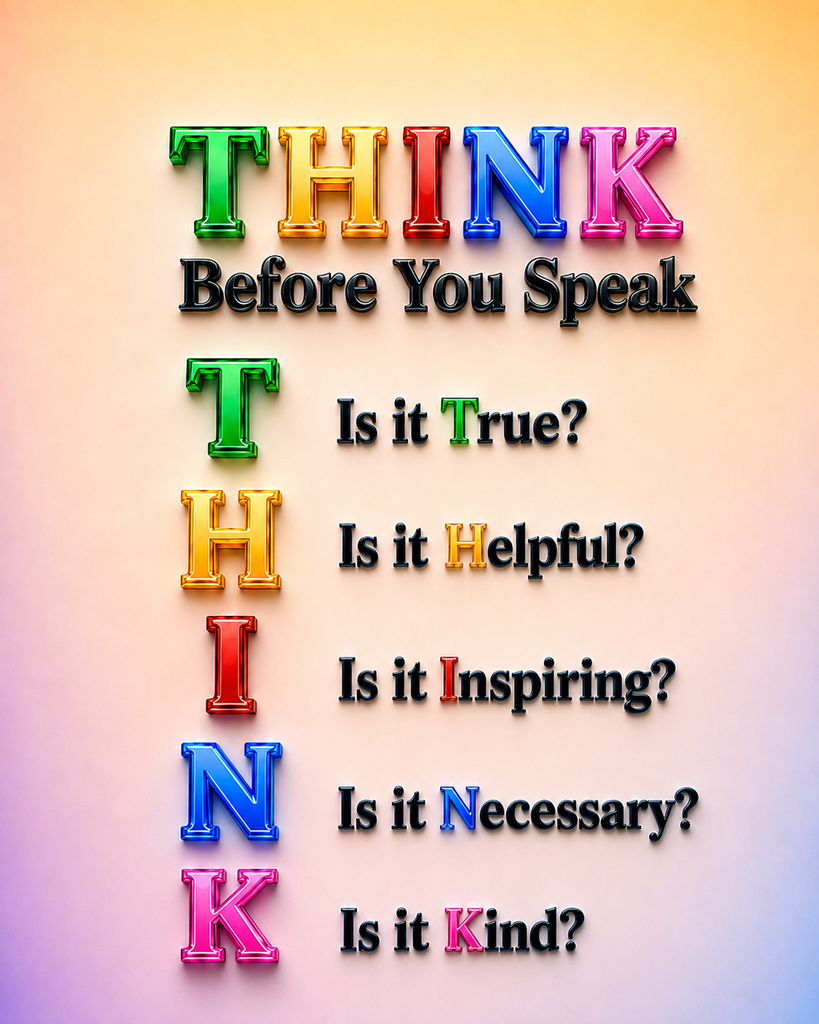
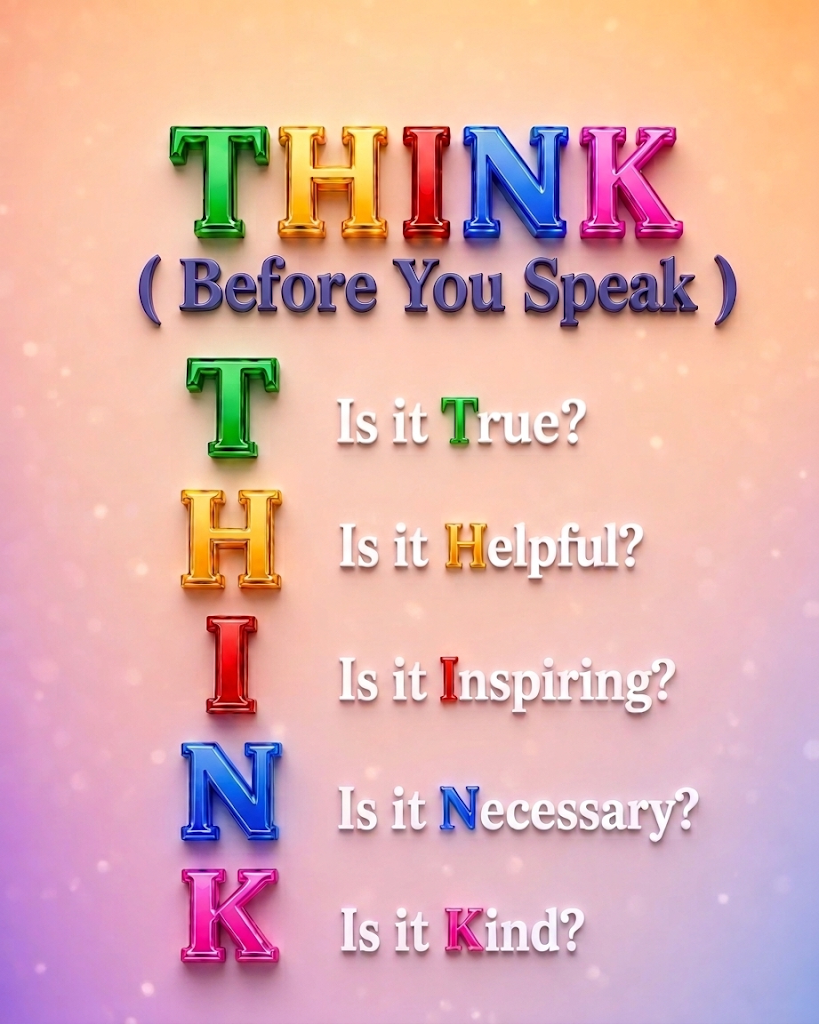
Persona: You are an expert 3D Graphic Designer and Typographer specializing in vibrant, high-impact digital posters.
Task: Create the best, a bright, colorful, 3D typography artwork featuring the acronym “THINK” along with its guiding reflective questions.
Context: The artwork is an inspirational visual guide reminding viewers to pause and reflect before speaking. It should look modern, uplifting, and ultra-crisp.
Visual & Text Specifications:
Create the word Think in the “THINK: Before You Speak” each alphabet with same color of 1, 2, 3, 4, 5, color
- Main Header (Top): “THINK: Before You Speak” (Bold, elegant 3D lettering).
- List Layout: A clean, vertical list where each initial letter is a glossy, vibrant 3D block letter:
- T (Glossy Emerald Green) — “Is it True?”
- H (Bright Sunny Yellow) — “Is it Helpful?”
- I (Vivid Ruby Red) — “Is it Inspiring?”
- N (Vibrant Electric Blue) — “Is it Necessary?”
- K (Warm Radiant Purple) — “Is it Kind?”
Constraints & Style:
- Lighting & Texture: Shiny, reflective 3D materials with soft studio lighting, subtle ambient glow, and polished glass/acrylic finishes.
- Background: Clean, soft-gradient background that maximizes contrast and readability.
- Composition: Perfectly centered, balanced whitespace, photorealistic 8K render, no misspelled words or cluttered artifacts.
- Aspect Ratio: 16:9 (Landscape) or 4:5 (Vertical Poster).
++++++++++++++++++++++
A thought can change a conversation, strengthen a relationship, and make our words more meaningful.
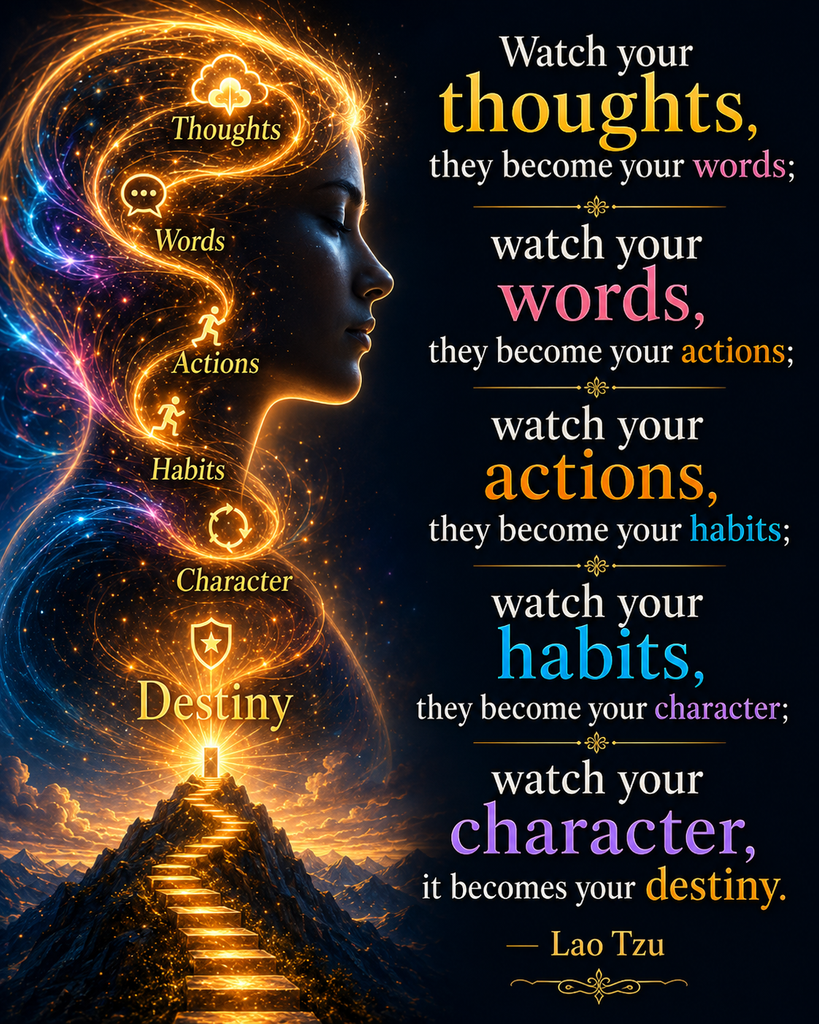
“Watch your thoughts, they become your words; watch your words, they become your actions; watch your actions, they become your habits; watch your habits, they become your character; watch your character, it becomes your destiny.” Lao Tzu
Think carefully. Speak wisely. Choose words that make a positive difference.
Best100Plus.com — Better ideas. Better choices. Better living.
Breakdown of the Philosophy
The phrase remains incredibly popular in personal development because it maps out a clear, step-by-step psychological progression:
- Thoughts they become your Words: What you think secretly shapes how you speak to yourself and others.
- Words they become your Actions: Your verbal commitments and statements turn into physical choices.
- Actions they become your Habits: Doing something repeatedly turns it into automatic behavior.
- Habits ➡️ Character: Your collective, daily habits define your true identity.
- Character ➡️ Destiny: The kind of person you are ultimately determines where you end up in life.
The phrase is highly popular in personal development because it outlines a clear, step-by-step psychological progression:
- Thoughts Words: Your secret thoughts influence how you speak to yourself and others.
- Words ➡️ Actions: What you verbally commit to shapes your physical choices.
- Actions ➡️ Habits: Repeated actions become automatic behaviors.
- Habits ➡️ Character: Your consistent daily habits define your true identity.
- Character ➡️ Destiny: The person you become ultimately determines where you end up in life.
Choose better words to think better, speak better, act better, and live better with a better character and better destiny!
Choose better words to think better, speak better, act better, and live better with a better character and better destiny!
“Watch your thoughts; they become your words: Your secret thoughts influence how you speak to yourself and others.
Watch your words; they become your actions: What you verbally commit to shapes your physical choices.
Watch your actions; they become your habits: Repeated actions become automatic behaviors.
Watch your habits; they become your character: Your consistent daily habits define your true identity.
Watch your character; it becomes your destiny.” The person you become ultimately determines where you end up in life.
Lao Tzu
Choose positive thoughts, speak kindly, act purposefully, build better habits, strengthen your character, and shape a brighter destiny.
+++++++++++++++++++++++++
When you upload a video intended for YouTube Shorts, the issue usually comes down to one of two scenarios depending on what you are seeing:
Scenario 1: The video is treated as a regular video (Shows under “Videos”, NOT “Shorts”)
If YouTube categorized your upload as a standard long-form video instead of a Short, it usually failed one of the technical requirements:
- Aspect Ratio is Not Vertical or Square
- YouTube Shorts must have a vertical aspect ratio (9:16, e.g., 1080×1920 px) or square (1:1, e.g., 1080×1080 px).
- If the video has horizontal dimensions (16:9) or black bars rendered in horizontal format, YouTube will treat it as a standard video.
- Video Length Exceeds the Limit
- Even a fraction of a second over the duration limit (e.g., 60.1 seconds on a 60-second export) will force YouTube to categorize it as regular long-form content.
- Tip: Trim the video slightly below the maximum length (e.g., 58–59 seconds) when exporting.
- Processing Delay
- High-definition video can take a few minutes to process. In YouTube Studio, the video may temporarily display as a regular video before the Shorts icon appears.
- Missing
#shortsTag- While YouTube automatically detects eligible videos, including
#shortsin your title or description helps ensure the system indexes it immediately.
- While YouTube automatically detects eligible videos, including
Scenario 2: The video is a Short, but you expected it in the “Videos” tab
If your upload was successfully recognized as a Short and is appearing in the Shorts player/tab:
- Separated Channel Tabs: YouTube deliberately separates content on channel pages into distinct tabs: Videos (standard long-form), Shorts (vertical short-form), and Live (streams).
- Once a video is classified as a Short, it is intentionally removed from the main “Videos” tab and placed under the dedicated “Shorts” tab.
How to Fix It
- Check the exact resolution and duration in your video editing software.
- Ensure the resolution is set to 1080 × 1920 (vertical).
- Keep the duration cleanly within the time limit.
- Include
#shortsin the title upon re-uploading.
++++++++++++++++++++++
DescriptionBest 100 Plus Best 100 Plus collection for Smart Ebooks Reading, 4 Seasons Gardening, Flowers, Greens, Fruits, Vegetables, Foods, Books, eBooks, Information, Products, Services, and lots of Free Promotional Content for all Visitors! Links
Best 100 Plus Informationbest100plus.com
Best 100 Plusbest100plus.com
Smart eBooks Reading Plussmartebooksreading.info
Four Seasons Gardining Plus
++++++++++++++++++
“Welcome to Best 100 Plus! We curate the top 100 books, smart reading guides, healthy foods, and 4-seasons gardening tips to enrich your everyday life. Explore free guides, inspiring videos, and full lists at best100plus.com.”
+++++++++
Here is a complete, polished, and search-optimized setup for your channel’s About / Description page, organized with clean sections and clear links.
Best 100 Plus: Discover the Best for a Better Life
Welcome to Best 100 Plus! We curate and celebrate the world’s top 100 books, smart reading guides, healthy superfoods, 4-seasons gardening, and timeless ideas designed to make your daily life happier, healthier, and more fulfilling.
Whether you want to discover life-changing literature, master 4-seasons organic gardening, explore nutrient-dense foods, or access high-value educational guides, our videos provide clear, bright, and practical wisdom for everyone.
What You Will Find on This Channel:
- Best 100 lists collection of inspiring ideas, timeless wisdom, Shakespeare insights, and essential reading guides.
- 4-Seasons Gardening & Nature Living: Year-round tips for vibrant flowers, lush greens, fruits, and vegetables.
- Healthy Foods & Longevity: Mostly natural, nutrient-dense foods for energy, vitality, and well-being.
- Smart Guides & Life Achievements: Curated lists, inspiring ideas, and free promotional content.
Subscribe to join our positive community and explore our complete curated lists on our official websites!
Links & Resources:
- (Best 100 Plus):best100plus.com
- Smart eBooks Reading Plus:smartebooksreading.info
- Four Seasons Gardening Plus:4seasonsgardenplus.com
++++++++++++++++++
Next Steps to Move Your Production Forward:
- Would you like to create your first 60-second Channel Trailer script welcoming new visitors based on this exact description?
- Shall we generate 5 high-CTR video topics and titles focused on the “Top 10 Books” or “Top 10 Four-Seasons Plants” to start publishing videos?
++++++++++
Description
Best 100 Plus
Best 100 Plus collection for Books, Foods, Gifts, Smart Ebooks Reading, 4 Seasons Gardening, Flowers, Greens, Fruits, Vegetables, eBooks, Information, Products, Services, and lots of Free Promotional Content for all Visitors! Links
What You Will Find on This Channel:
- Best 100 lists collection of helpful and useful information, inspiring ideas, timeless wisdom, Shakespeare insights, and essential reading guides.
- 4-Seasons Gardening & Nature Living: Year-round tips for vibrant flowers, lush greens, fruits, and vegetables.
- Healthy Foods & Longevity: Mostly natural, nutrient-dense foods for energy, vitality, and well-being.
- Best 100 promotional, educational, motivational, interesting, entertaining, and informational
Subscribe to join our positive community and explore our complete curated lists on our official websites!
For the Best 100 Information Age information, products, and services that are mostly promotional, educational, motivational, interesting, entertaining, helpful, and useful for anyone as they like it.
++++++++++
Best100Plus YouTube Channel Description
Best100Plus — Discover the Best. Create Your Best.
Welcome to Best100Plus, a growing collection of helpful, educational, inspiring, entertaining, and carefully selected ideas for everyday life.
Explore Best 10, Best 100, and Best 100 Plus collections covering books, foods, gifts, products, services, Smart eBooks Reading, gardening, flowers, fruits, vegetables, healthy living, information, culture, literature, technology, and more.
What You Will Find on This Channel
- Best 10, Best 100 & Best 100 Plus Lists — useful discoveries, recommendations, ideas, products, services, and resources.
- Books, eBooks & Smart Reading — essential reading, timeless ideas, Shakespeare, literature, quotations, and learning resources.
- 4-Seasons Gardening & Nature — flowers, roses, greens, fruits, vegetables, gardens, and year-round growing ideas.
- Foods & Well-Being — natural and nutritious foods, healthy choices, longevity, energy, and everyday well-being.
- Products, Gifts & Services — useful products, thoughtful gifts, services, comparisons, and selected recommendations.
- AI, Technology & Information — practical technology, useful innovations, educational information, and future-focused ideas.
- Inspiration, Culture & Creativity — motivational ideas, history, culture, wisdom, creativity, and enjoyable discoveries.
Our goal is to help viewers discover, learn, compare, choose, enjoy, and create their own Best 10, Best 100, and Best 100 Plus lists according to their interests, priorities, tastes, and needs.
Some content may also introduce or promote selected products, services, websites, books, resources, and organizations. We aim to keep promotional content useful, relevant, informative, and clearly presented.
Explore more curated collections and free resources at our official websites.
Subscribe and join the Best100Plus community as we continue discovering excellent ideas, resources, products, services, and experiences from around the world.
Best100Plus.com — As You Like It!
++++++++++++++++++++++++++++++++++++++++++
Best100Plus Video & Film-Making Glossary 🎬
This glossary covers the most useful words we are likely to use together when planning, creating, editing, reviewing, and publishing Best100Plus videos.
A. Planning & Story
- Concept — The main creative idea behind the video.
- Topic — The specific subject the video is about.
- Goal — What you want the video to achieve.
- Target Audience — The people the video is primarily created for.
- Viewer Benefit — What the viewer gains by watching the video.
- Main Message — The single most important idea the viewer should remember.
- Format — The type of video, such as Short, tutorial, documentary, promotional video, or long-form video.
- Duration — The total running time of the video.
- Script — The written plan for what will be said and often what will appear visually.
- Storyboard — A visual plan showing the main shots or scenes before editing begins.
- Scene — A section of the video containing one main action, idea, location, or purpose.
- Sequence — A group of related scenes that together communicate one larger idea.
- Shot — One continuous piece of recorded or generated video between edits.
- Take — One recorded attempt at performing a shot.
- Hook — The opening moment designed to immediately capture attention.
- Intro — The beginning section that introduces the subject.
- Body — The main informational or storytelling section.
- Ending — The final section that completes the message.
- CTA / Call to Action — A request encouraging viewers to do something, such as visit Best100Plus.com or watch another video.
- Payoff — The satisfying information, answer, reveal, or emotional result the viewer receives.
B. Visual Composition
- Frame — One individual image within a video; also the visible area of the screen.
- First Frame — The very first image viewers see when the video begins.
- Composition — How people, objects, text, and empty space are arranged inside the frame.
- Subject — The main person, object, product, flower, or element viewers should notice.
- Foreground — Objects appearing closest to the viewer.
- Background — The visual area behind the main subject.
- Focal Point — The part of the image intended to attract the viewer’s attention first.
- Visual Hierarchy — Arranging elements so viewers naturally see the most important information first.
- Contrast — The visual difference between elements, helping subjects and text stand out.
- Negative Space — Empty or uncluttered space around the subject or text.
- Safe Area — The part of the frame where important text and subjects are unlikely to be cropped or covered.
- Aspect Ratio — The shape of the video frame, such as 9:16 vertical or 16:9 landscape.
- Resolution — The number of pixels in the image or video, such as 1080 × 1920.
- 4K — High-resolution video commonly measuring 3840 × 2160 pixels in landscape orientation.
- Portrait / Vertical — A tall video format, normally 9:16 for YouTube Shorts.
- Landscape / Horizontal — A wide video format, normally 16:9 for standard YouTube videos.
- Close-Up — A shot showing a subject very closely, such as a single rose blossom.
- Medium Shot — A shot showing the subject with some surrounding environment.
- Wide Shot — A shot showing a large area or complete scene.
- Establishing Shot — A wide introductory shot that shows where the scene takes place.
C. Camera & Motion
- Camera Angle — The position from which the viewer sees the subject.
- Eye-Level Shot — A natural-looking shot taken approximately at the subject’s eye level.
- High Angle — A view looking downward at the subject.
- Low Angle — A view looking upward at the subject, often making it appear more powerful.
- Pan — Moving the camera view horizontally from left to right or right to left.
- Tilt — Moving the camera view vertically upward or downward.
- Zoom In — Gradually making the subject appear closer.
- Zoom Out — Gradually revealing more of the surrounding scene.
- Push-In — Camera movement physically or digitally moving closer toward the subject.
- Pull-Out — Camera movement gradually moving away from the subject.
- Tracking Shot — A shot where the camera follows a moving subject.
- Slow Motion — Video played slower than normal speed.
- Time-Lapse — A long event compressed into a short period of video.
- Keyframe — A point that tells editing software where an animation, movement, size, or position should begin or change.
- Ken Burns Effect — A slow digital pan and zoom applied to a still image.
D. Editing
- Timeline — The editing workspace where video, images, narration, music, and text are arranged over time.
- Clip — An individual piece of video, audio, or image media placed on the timeline.
- Track — A horizontal layer on the editing timeline containing video, audio, text, or other elements.
- Cut — An immediate change from one shot to another.
- Trim — Removing unwanted material from the beginning or end of a clip.
- Split — Dividing one clip into two separate clips.
- Transition — A visual effect used when moving from one shot or scene to another.
- Crossfade — A soft transition where one image gradually disappears while another appears.
- Fade In — Gradually bringing an image, video, music, or sound into view or hearing.
- Fade Out — Gradually making an image, video, music, or sound disappear.
- Jump Cut — A noticeable cut that quickly moves forward within similar footage.
- B-Roll — Supporting footage shown while narration or another main audio source continues.
- A-Roll — The primary footage, usually the main speaker, host, interview, or central action.
- Overlay — An image, video, graphic, or text placed over another visual layer.
- Mask — A tool that hides or reveals selected parts of an image or video.
- Crop — Removing unwanted areas around the edges of an image or video.
- Resize / Scale — Increasing or decreasing the visual size of an element.
- Reframe — Changing the positioning or crop of footage to fit another format.
- Speed Ramp — Gradually changing video speed within a clip.
- Freeze Frame — Holding one frame on screen like a still image.
E. Text & Graphics
- On-Screen Text — Words displayed directly over the video.
- Title Card — A screen primarily used to present the video’s title.
- Lower Third — Text or graphics placed near the lower portion of the screen, often identifying a person or subject.
- Caption — Text representing spoken dialogue or narration.
- Subtitle — Written text translating or displaying speech, usually near the bottom of the screen.
- Auto Captions — Captions automatically generated by editing or publishing software from spoken audio.
- Typography — The visual design, font, size, spacing, and arrangement of text.
- Font — The specific style or design of lettering.
- Text Animation — Movement or visual effects applied to words appearing on screen.
- Graphic — A designed visual element such as an icon, diagram, label, logo, or illustration.
- Logo — A visual symbol identifying the Best100Plus brand.
- Watermark — A small logo or identifying mark displayed over the video.
- Branding — Consistent use of colors, typography, logo, style, and messaging to identify Best100Plus.
F. Voice & Audio
- Voiceover / VO — Narration heard over the visuals without the narrator necessarily appearing on screen.
- Narration — Spoken explanation or storytelling guiding the viewer through the video.
- Dialogue — Spoken conversation between characters or people.
- Voice Track — The audio timeline containing narration or spoken dialogue.
- Background Music / BGM — Music playing underneath narration or visual storytelling.
- Sound Effect / SFX — A short sound added to emphasize an action or moment.
- Ambient Sound — Natural background sound such as birds, wind, crowds, or garden sounds.
- Audio Level — The loudness of an audio track.
- Volume Balance — Adjusting narration, music, and effects so each can be heard clearly.
- Fade Audio — Gradually increasing or decreasing audio volume.
- Ducking — Automatically lowering music when narration begins.
- Sync — Matching audio, speech, text, music, or visual actions at the correct time.
- Beat — A rhythmic point in music that can be used to time cuts or visual changes.
- Pacing — The speed and rhythm at which narration, visuals, and information progress.
- Pause — A deliberate break in narration used for clarity or emotional emphasis.
- Emphasis — Giving extra stress or importance to a particular spoken word or idea.
G. Quality & Style
- Color Grading — Adjusting colors to establish a consistent artistic look or mood.
- Color Correction — Fixing brightness, contrast, white balance, and color accuracy.
- Exposure — The overall brightness or darkness of an image.
- Saturation — The intensity or richness of colors.
- Sharpness — How clearly defined the visual details appear.
- Depth of Field — The amount of the image appearing sharply focused from foreground to background.
- Blur — Softening an area of an image, often used to separate the subject from the background.
- Cinematic — A polished visual style inspired by professional film production.
- Photorealistic — An image or generated visual designed to look like a real photograph.
- Visual Consistency — Keeping colors, lighting, typography, motion, and design similar throughout the video.
- Continuity — Making sure details remain logically and visually consistent between shots.
H. Viewer Attention & Retention
- Audience Retention — The percentage of viewers who continue watching as the video progresses.
- Retention Drop — A point where many viewers stop watching.
- Scroll Stopper — A strong first visual or statement designed to stop someone from scrolling past a Short.
- Pattern Interrupt — A noticeable visual, sound, or editing change used to regain attention.
- Visual Change — Changing images, movement, angle, text, or framing to maintain viewer interest.
- Information Density — The amount of useful information presented within a period of time.
- Dead Time — Unnecessary time where little useful, interesting, or visually engaging happens.
- Payoff Moment — A particularly satisfying reveal, answer, result, or emotional moment.
- Loop — An ending designed to connect naturally back to the beginning, encouraging repeated viewing.
I. YouTube & Publishing
- Thumbnail — The preview image representing a YouTube video before someone clicks it.
- Title — The main written name of the video displayed on YouTube.
- Description — The text below the video explaining the content and providing links or additional information.
- Tag — A keyword added to help YouTube understand the video’s subject.
- Hashtag — A searchable topic label beginning with
#, such as #Roses. - Playlist — A collection of related videos organized together.
- Short — A vertical YouTube video designed primarily for mobile viewing.
- Long-Form Video — A regular YouTube video, generally longer and more detailed than a Short.
- End Screen — Clickable YouTube elements shown near the end that can recommend another video, playlist, or subscription.
- Card — An interactive YouTube element that can direct viewers to related content.
- Pinned Comment — A comment placed at the top of the comments section by the channel owner.
- Upload — Sending the completed video file to YouTube.
- Draft — An uploaded video that has not yet been fully published.
- Private — A video visible only to specifically authorized viewers or the channel owner.
- Unlisted — A video that normally can be watched by anyone who has its direct link but does not appear publicly in search or the channel’s normal listings.
- Public — A published video available normally to YouTube viewers.
- Schedule — Setting a video to become public automatically at a future date and time.
J. Export & Technical Terms
- Export — Creating the finished video file from the editing project.
- Render — Processing all video, graphics, effects, and audio into the final output.
- Codec — The technology used to encode and compress video or audio.
- H.264 — A widely supported video codec commonly recommended for YouTube exports.
- MP4 — A common video file format widely supported by YouTube and CapCut.
- Frame Rate / FPS — The number of individual frames displayed each second, such as 24, 30, or 60 FPS.
- 30 FPS — A common frame rate suitable for most Best100Plus informational videos.
- 60 FPS — A smoother frame rate often useful for fast movement or certain high-quality footage.
- Bitrate — The amount of digital information used each second; higher bitrate generally preserves more quality but creates larger files.
- Compression — Reducing file size while attempting to preserve acceptable image and audio quality.
- File Size — The amount of storage space the exported video requires.
- Project File — The editable CapCut project containing the timeline, media, effects, and settings.
- Source File — The original image, video, music, or audio file imported into the project.
Most Important 25 Terms for Our Work ⭐
For our Best100Plus video production, these are the terms I recommend learning first:
- Hook
- Script
- Scene
- Shot
- First Frame
- Storyboard
- Timeline
- Clip
- Cut
- Trim
- Transition
- B-Roll
- On-Screen Text
- Voiceover
- Background Music
- Keyframe
- Zoom
- Pacing
- Audience Retention
- CTA
- Thumbnail
- Aspect Ratio
- Resolution
- Export
- Render
Simple Example
When I say:
“Scene 1 needs a stronger hook, a slow push-in on the red rose, shorter on-screen text, and a cut at 2.5 seconds.”
You can read it as:
Scene 1 = first section of the video
Hook = attention-grabbing opening
Push-in = slowly move visually closer
On-screen text = words visible on the video
Cut = change to the next shot
This shared vocabulary should make our future Best100Plus video-production discussions much faster, clearer, and more precise. 🎬🌹
++++++++++++++++++++++++++++++++++++++++++++++++
Here is a quick glossary of essential video and filmmaking terms to help streamline our production process for the Best 100 channel:
🎬 Best 100 Video Studio: Core Filmmaking Glossary
- Aspect Ratio: The proportional relationship between a video’s width and height (e.g., 16:9 for standard YouTube, 9:16 for YouTube Shorts).
- B-Roll: Supplemental footage intercut with the main shot to add visual interest, context, or cover edits.
- Bokeh: The aesthetic, soft blur produced in the out-of-focus parts of a shot, often used to make a subject pop (perfect for our garden videos).
- Call to Action (CTA): A direct prompt telling the audience what to do next, such as “Subscribe to Best 100 Plus.”
- Depth of Field (DoF): The distance between the closest and farthest objects in a video that appears acceptably sharp.
- Frame Rate (fps): The speed at which individual frames are displayed per second (e.g., 24fps for a cinematic feel, 60fps for smooth motion).
- Hook: The crucial first 0–5 seconds of a script or video designed to instantly capture the viewer’s attention.
- Macro: Extreme close-up shots that reveal incredible detail, usually of smaller subjects like food or flowers.
- Pan: Moving the camera lens horizontally (left or right) without moving the physical camera base.
- Resolution: The visual quality of the video based on pixel count (e.g., 1080p High Definition, 4K Ultra High Definition).
- Tilt: Moving the camera lens vertically (up or down) without moving the base.
Would you like me to generate a new video concept applying some of these techniques, perhaps some B-roll for the “Best 100 Foods” collection?